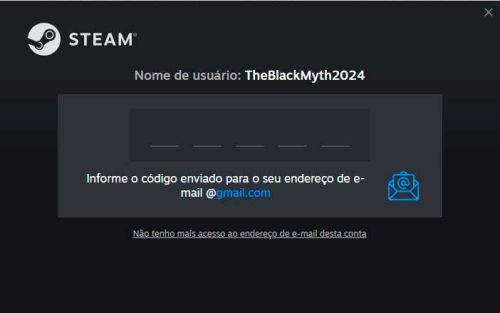
If a Guard code is requested, please contact live support WHERE
2-) You have an account alert
If you encounter a problem like the one in the screenshot, please do not worry, there is no problem that will affect your gameplay.
3-) Connect or Stream
If ‘Stream’ is visible here, please click on the option next to it and select ‘This computer’.
CONNECT or STREAM
Click the arrow next to “connect/cast” and select “This computer”.
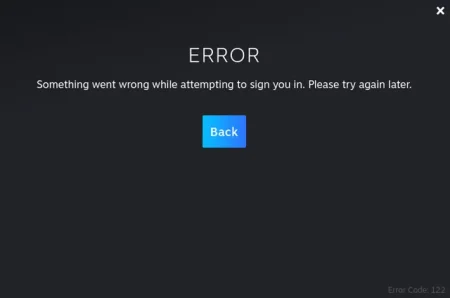
4-) Something went wrong
This is a message due to high traffic. If you try again in 5-10 minutes, the issue should be resolved.
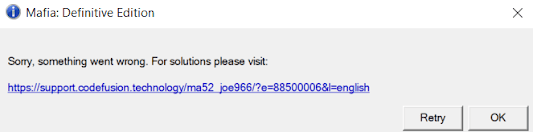
5-) Denuvo Activation Error
If you get an error like the one in the image, it is an activation issue.
Solution:
Log in to the online game once every 2 hours.
The problem should be resolved within 24 hours.
Once the activation is assigned to your computer, you can switch to offline mode and continue playing..
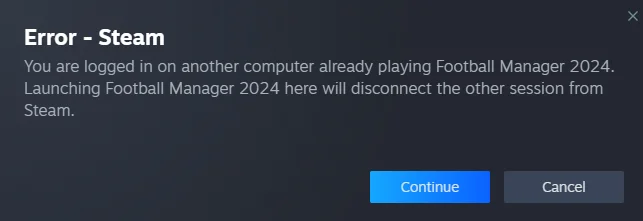
7-) Erro — Steam
If you see a screen like this, please click on the ‘Continue’ option. One of our users may have forgotten to switch their account to offline mode. After making the necessary adjustments, please ensure that you also set your account to offline mode.
Message:
You are logged in on another computer playing Football Manager 2024.
Clicking “Continue” will disconnect the active session on the other device.